Stop, 4 Fixes Get More Calls From Google
Stop and think about your last slow day. Your shop was open. Your team was ready. But the phone did not ring. At the same time, people near you looked on Google for the exact help you give. They saw a list of shops and tapped call on a shop that was not yours. Why? Your work is not weak. Your listing makes it hard to call you. The phone may be wrong. The hours may look wrong. The services may not match caller words. Reviews may sit with no reply. This post gives you 4 fixes. Each fix is free and uses facts you control on your Google Business Profile. A Google Business Profile is the free listing Google shows for your shop in Search and Maps.
To get more calls from Google, make your listing easy and safe to call: put the right phone number on the profile and test the call button, set true open hours with holiday hours, list services callers ask for and add photos that prove you do them, and reply to reviews in a calm, kind way. Check your performance counts each month. Google does not promise any rank, but a full, true profile is what Google shows and what clients trust to call.
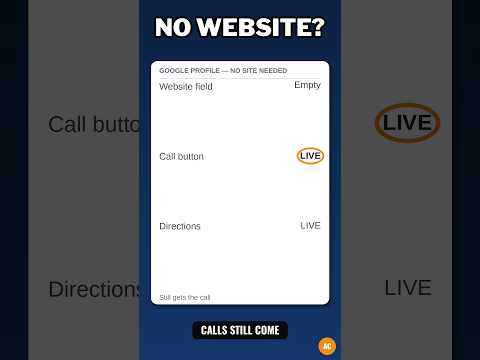
What the video shows: This short video is called "No Website? Your Google Profile Still Gets the Call." It makes a plain point: even if you have no web site, your Google profile can still bring you calls, as long as the facts on it are right and easy to act on. The 4 fixes in this post help you check those facts.
Why do some listings get calls and others do not?
A client on Google has a problem and a short time. A pipe leaks. A tire is flat. Hair needs to be done before a big day. The client types a few words, sees 3 to 5 shops, and picks one to call in less than a minute. In that minute they ask: Can I call with one tap? Is this shop open now? Does this shop do my job, and can I trust them? If your listing fails one of those, they call the next shop.
No call often means friction, not weak work. Friction means a small block that makes a step hard. A wrong digit is friction. Hours that say "closed" at noon are friction. A service list that does not name the job is friction. Think of the call path like a door. A door must be easy to find, easy to open, and open at the time the sign says. If it is locked when the sign says open, people leave. Your listing is that door on a phone screen. The call button is the handle. Your phone number is where the door leads. Your hours are the sign. Keep all three true, and more people walk in by phone.
Fix 1: Is your phone number right, and does the call button work?
If the number is wrong, no call can reach you. Shops miss this when they get a new number and the listing keeps the old one, when staff type a digit wrong, or when a firm used a track number that no longer works. Track number means a special number used to count calls, not your main shop number. The call button needs a correct phone number on the profile. No number, no working button. Wrong number, wrong shop gets your calls.
Step one: open your profile as owner. Read the phone out loud, digit by digit. A digit is one number, 0 to 9. Read the number on your bill or sign the same way. Do they match? Step two: check length. A U.S. number has 10 digits, not counting a 1 at the start. Area code is 3 digits plus 7 more: 3 + 7 = 10 digits. If you count 9 or 11, fix it. Step three: test like a client. Use a phone that is not your shop phone. Search your shop, tap the listing, tap Call. Call button is the button that starts a call with one tap. Does your shop phone ring? Does it go to the right voice mail if closed? Voice mail is the box that takes a message when you cannot pick up. If it rings a stranger or a dead line, fix the number at once.
Step four: check who picks up. Callers judge you in the first 10 seconds. If a robot menu says "press 1, press 2, press 3," many callers hang up. Hang up means they end the call. Keep a menu to 2 or 3 choices, with "talk to the shop" first. A human in open hours is best. Step five: if your main line is down for a day, set the listing phone to a cell you will answer that day, then set it back. Check the listing phone on the 1st of each month, and check your web site and sign phone at the same time. All three should match.
Fix 2: Are your hours true, with holiday hours set?
Hours means the days and times you are open. Google shows "Open now" or "Closed" from your hours. If it says closed, most clients will not call, even if you are open and near the phone. Set normal hours day by day. Do not copy Monday to all days if real days differ. If you close for lunch, set the split. Split means two blocks in one day, like 9 a.m. to 12 p.m. and 1 p.m. to 5 p.m. If you are closed Sunday, mark Sunday closed.
Holiday hours are special hours for a holiday or one-off day, like Thanksgiving, Christmas Day, or New Year's Day. Google will prompt you near holidays to confirm them. Prompt means Google shows a note asking you to check. Open it. Pick open with new times, or closed. Confirm even if hours stay the same. Plan with date math: if a holiday is in 7 days and you will be closed, set holiday hours today. That gives 7 true days of facts, not 1 true day and 6 wrong days. If you wait, a client may drive to a locked door and leave a harsh review. Harsh means angry and strong.
Test hours like a client. Search when you are open. Does Google say "Open now"? Search when closed. Does it say "Closed"? If the line is wrong, hours are wrong or old special hours are still in place. A shop may set closed for Christmas and forget, so odd hours stay into January. Check special hours after each holiday. Be true even when true hours look short. Listing 7 a.m. to 9 p.m. when you run 9 a.m. to 5 p.m. may earn a call at 8 p.m., but it earns anger when no one picks up. Keep a rhythm: check normal hours on the 1st of each month, set holiday hours two weeks before a big holiday, and check the day after. Complete profiles — hours, photos, services, and attributes filled in — are what Google shows in full. Attributes are extra true facts like "has parking" or "women-led," if true.
Fix 3: Do your services and photos match what callers ask for?
Services are jobs you do, listed one by one. Your main category tells Google your kind of work. Category is the label for what you do, like "plumber" or "hair salon." Plumber is a worker who fixes pipes and water lines. Services give detail: a plumber may list drain clean, leak fix, and water heater install. Install means to put in and set up. List each service you truly do, in clear client words, not shop slang. Slang means words only workers in your trade use. A client says "tire fix" and "kids haircut," not shop codes. If a caller must guess if you do their job, they call a shop whose list is clear.
Do not list services you do not do. That earns calls you must turn down, and those callers rarely call again. Keep the list true, even if short. Add a service the day you truly start it. Add price only if true and steady. Range means low to high, like $50 to $80. If price shifts by job, leave it off and talk price on the call. If you add a price, honor it. Honor means do what you said.
Photos are proof with no words. Add: shop front in day light with sign clear; work space, clean and ready; work in action, with hands on the job and tools in use; goods if you sell goods, with shelves neat; and team at work, with no client faces if you can. Keep photos bright and sharp. Sharp means clear, not blurry. Blurry means soft and hard to see. Wipe the lens. Lens is the glass eye of the phone camera. Take 3 shots and keep the best. Do not use stock photos. Stock photos are generic photos from a photo bank, not your shop. Match photos to services: "kids haircut" needs a photo of your kids chair. "Leak fix" needs a fixed pipe joint or leak tools laid out. Joint means the spot where two pipes meet. Aim for 10 photos: 1 front + 1 sign + 2 work space + 4 work in action + 2 goods or team = 10. 1 + 1 + 2 + 4 + 2 = 10. Add 2 to 4 new photos each month. Ask a friend: "If you needed X, would my list tell you I do X?" If they pause, rename that service in clearer words.
Fix 4: Do your review replies build trust for the next caller?
Reviews are notes clients write about work you did, with a star grade from 1 to 5 stars. Stars are marks that show how good a client felt the work was. New callers read reviews before they call, and they read your replies even more closely. Your reply shows how you act when things go well and when things go wrong. Reply to each review. A kind reply to a good review takes 1 minute. A calm reply to a bad review takes 5 minutes and can save many calls.
For a good review, thank the client by name if the review shows a name. Name one true detail, like "Glad the leak fix held." Do not paste the same line for all reviews. It looks like a robot wrote it. For a bad review, use 4 parts: thank them, say sorry with no blame, say what you did or will do to fix it, and invite them to call you with the right phone. Blame means to say a thing is someone else's fault to dodge your part. Dodge means to avoid. Keep it short and calm. Do not share private facts or argue in public. The goal is not to win the review. It is to show the next caller you own your work.
Example with fake names: Review, 2 stars: "Waited an hour past my time. No one told me why." Reply: "Thank you for telling us, Ana. I am sorry you waited with no word from us. That is on us. We now text clients if we run more than 15 minutes late. Please call us at [your true phone] and ask for Sam. I will make your next visit right." Parts: thank, sorry, fix, invite. A new caller thinks, "If my job goes wrong, they will treat me fair." That thought leads to calls. Do not buy reviews, ask only happy clients to review, or have staff write fake reviews. They break Google rules and trust. Ask each client in a kind way: "If you have a minute, a Google review helps our small shop a lot." Check reviews twice a week and reply the same day if you can. Keep tone the same in all replies. Tone means the feel of your words, kind or cold, calm or sharp. Kind and calm, every time.
Trust is the hardest idea here, so hear it a second way. First way was the door: trust is feeling safe to open the door and call. Second way is a bridge. A bridge is a path over water that must hold weight. Each kind reply is one strong board. Each angry reply or blank space is a weak board. Callers look at the bridge before they cross. They do not need a perfect bridge with no bad reviews. They need a bridge that looks cared for, board by board.
How do you read your performance counts without fooling yourself?
Owners can see call and direction counts in the profile's performance view. Performance view shows counts: how many saw your listing, tapped call, asked for directions, or found you by name or by job. Directions means the route on the map to your door. A call tap is a strong sign a client wants to talk now. Views alone are weak. Views means people saw the card. Saw is not the same as called.
Once a month, on the same date, write down views, calls, and direction asks. Next month, write the new numbers below. Compare month to month, not day to day. Days jump with weather and holidays. Months show the trend. Trend means the long path, up, down, or flat. Do the math: this month 40 calls, last month 32 calls. Change is 40 − 32 = 8 more calls. Share is 8 ÷ 32 = 0.25, which is 25%. Calls rose 25%. If calls fell from 40 to 30, change is 30 − 40 = −10, and −10 ÷ 40 = −0.25, or a 25% drop. Then ask why: more closed days? A holiday? A phone change? Do not judge by one big day. A storm can spike calls in one day. Spike means a sharp jump for a short time. Look at two full months in the same path for a trend you can trust.
Split finds in your head. Some find you by name. Some find you by job, like "leak fix near me," among rivals. Rivals are other shops that do the same work. Job finds are where services, photos, and replies earn new clients who did not know your name. Honest limit: counts show taps, not sales. Keep a desk log. For each new job ask, "How did you find us?" If they say Google, mark a tick. Compare ticks to call counts at month end. If both rise, growth is true. If calls rise but ticks do not, callers may ask for jobs you do not do, and Fix 3 needs work. Google does not promise any rank, and counts do not promise rank. Counts are a check, not a promise.
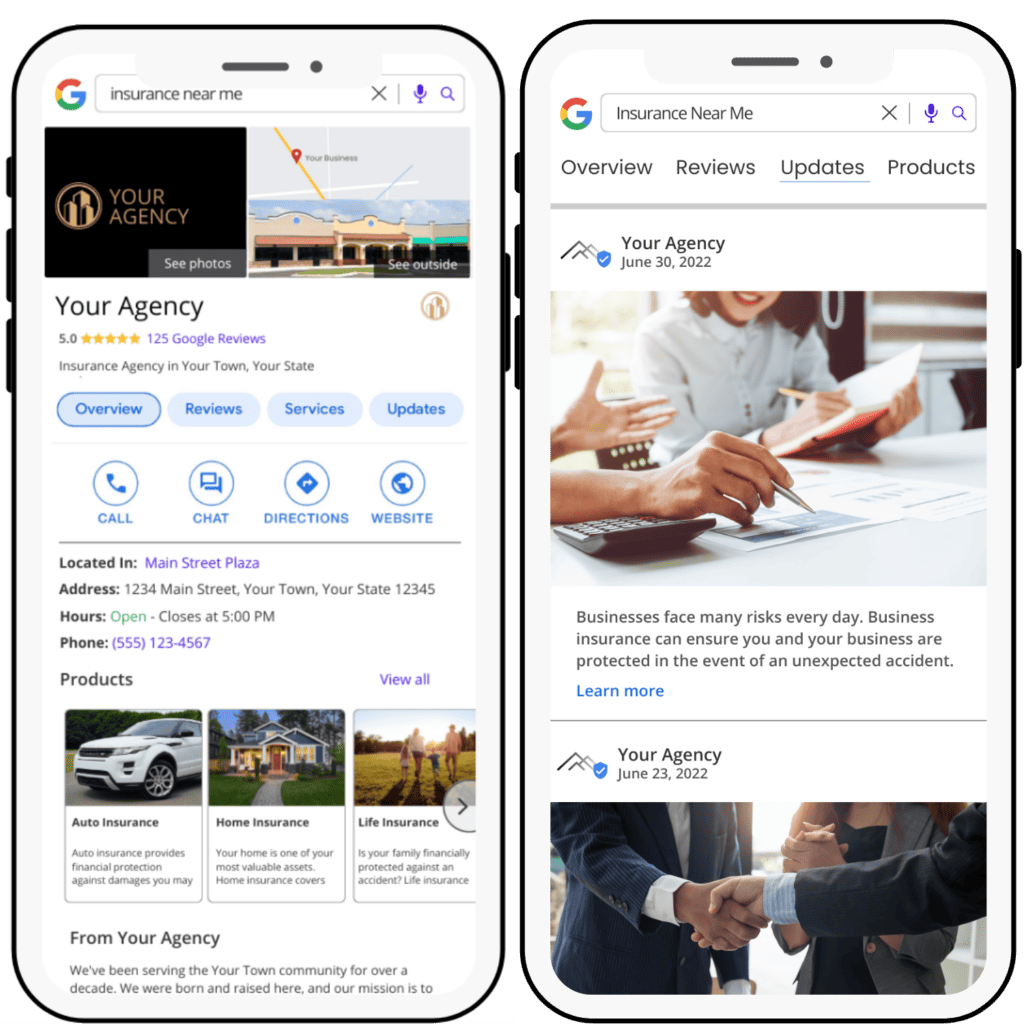
How do you test your own listing like a customer?
Test like a client once a month. It takes about 10 minutes. Use a phone, or a friend's phone, or sign out of your owner account so you see what a stranger sees. Owners see edit buttons. Clients see the clean public card. You need the client's view.
Step one: search by job, not your name. Type "tire fix near me" or "hair salon near me" from near your shop. Near me means Google uses your place to show close shops. Tap your shop. Step two: read the card top to bottom. Name right? Hours say open when you are open? Phone right? Call button there? Services in client words? Photos show real shop and work? Last review and reply look kind and calm? Step three: tap call. Does it ring your shop? How long till a human or clear voice mail picks up? If it rings with no pick up in open hours, fix it today. Step four: tap directions. Does the route lead to your true door? If the pin is off, fix it. Pin is the small drop mark that shows place on the map.
Step five: fix the worst gap that day. One gap a month is 12 gaps in a year: 1 gap × 12 months = 12 fixes. Write the date and fix in a note. Next month, check if it held. Held means it stayed true. If the phone is wrong again, a tool or helper may be overwriting it. Overwriting means writing over a fact with a wrong fact. Fix the source, not just the fact. Test after each big change too: new phone, new hours, or new service.
Your free tool for this step
Your free tool for this step is the GMB Profile Grader at https://aidcos.world/#free-tools
GMB is short for Google Business Profile. The Grader is a checklist tool. You go through the checklist and it gives your profile a letter grade from A to F, like a school grade. An A means strong. An F means big parts are missing or wrong. It ranks the 3 fixes that help most, in order.
Do the 4 fixes first, with your own eyes and phone test. Run the Grader. See if its top 3 match your gaps. It may flag thin services, missing photos, hour gaps, or a weak description. Description means words that tell what you do and who you help. Fix its top fix first, then test like a client again. Grade, fix, test, once a month. The Grader does not fix your phone in Google. You fix facts in your profile. It does not reply to reviews for you. It does not promise more calls or any rank. Google does not promise any rank. It finds gaps in completeness — hours, photos, services, and facts — so you do not miss a gap your eyes skipped. Go to https://aidcos.world/#free-tools, find the GMB Profile Grader, run it this week, fix one gap, and test your call button again.
The bottom line
Get more calls with 4 fixes, not tricks: put the right phone number on your profile and test the call button till it rings your shop, set true hours each day and confirm holiday hours before the holiday, list services in caller words and add real photos that show those jobs at your shop, and reply to each review in a kind, calm way. Read performance counts month to month and keep a desk log of jobs from Google. Test your listing like a client once a month and fix the worst gap that day. Grade it with the free tool, fix the top gap, and test again.
Part of: Google Business Profile Help: Costs, Fixes, and Guides for Local Businesses
More guides in this branch:
Keep reading: all Aid & Cos deep-dives