7 Checks Help You Rank Higher on Google Maps Today
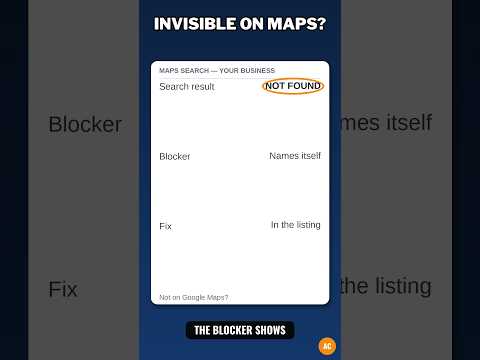
You search for a shop like yours on your phone. Three shops show up on the map first. Yours is not one of them. A guest picks one of those three and calls them, not you.
That small map box matters. Google calls those top spots the map pack. A pack is the small group of shops shown on a map at the top of the search page. If you are in that group, more guests see you.
This post shows you seven checks that can help you rank higher on Google Maps. Rank means where you show up in that list. These checks will not promise you the top spot. No honest post can. They help you fix the parts you can control, with true facts.
Google says it ranks local shops in large part on three things: relevance, distance, and prominence. Relevance is how well your listing fits what the guest searched for. Distance is how far you are from the guest. Prominence is how well known you are. You cannot change distance. You can work on the other two. Fill out your full profile with true facts, pick the right main category, keep your name, address, and phone the same in each place, set a true address or service area, list all your real services, add real photos, ask all guests fairly for a review, and reply to each review.
What the video shows: This short video is called "Not on Google Maps? Run These 5 Checks in Order." It is for a business that is not showing on Google Maps, and it runs through 5 checks, in order, to find what is wrong. The 7 fixes in this post build on that same job, step by step.
What does rank higher on Google Maps mean?
When a guest types "plumber near me" or "hair salon" plus a town name, Google shows a map and a short list. That list is not in a random order. Google picks an order for each search, for each guest, at that time.
Your rank can change from one street to the next. A guest two blocks away may see you first. A guest ten miles away may not see you at all. That is normal. Distance is part of the choice.
Your rank can also change by the words the guest types. You may show high for "drain clearing" and low for a job you do not do. That is why a full, true profile matters.
What are the three things Google says it looks at?
Google is open about the broad ideas. It is not open about the exact math. Google does not publish its exact map ranking math. No one outside Google knows the full set of rules or how much each part counts. Any person who says they know the exact math, or who says they can guarantee you spot one, is not telling you the truth.
First, relevance. If a guest searches for a nail salon, Google looks for shops whose profile says, in clear ways, that they are a nail salon. Your category, your services, your description, and the words in your reviews all help Google see that fit.
Second, distance. Google looks at how far each shop is from the guest or from the place in the search. You cannot move this part by editing your profile. A shop that lies about its address to look closer is breaking the rules and can be hidden.
Third, prominence. This is how well known a shop is, on the web and in real life. Reviews count here. The number of reviews and the star score are part of it. So are links to your site, listings on other sites, and how well known your shop is in your town.
Here is the same idea in a second way. Picture a guest asking a friend, "Who should I call?" The friend thinks: Who does this job? Who is close? Who is well spoken of? Google tries to think that same way, with the facts it can find.
What is Check 1: Is your main category the right one?
A category is the label that says what kind of business you are. You pick one main category, also called a primary category. Primary means first and most important.
This label is one of the strongest signals you send. Signal means a clue Google uses to decide when to show you. If it is wrong, Google will match you to the wrong searches.
Pick what you ARE, not just one job you do. A shop that fixes pipes, sinks, and drains is a "Plumber" first. A shop that cuts and colors hair is a "Hair salon" first. Then you can add more categories for other true work you do.
Pick the most specific true label you can. Specific means exact and narrow, not broad and vague. If Google offers "Nail salon" and you are a nail salon, do not pick just "Salon." The exact label helps Google match you to exact searches.
Fix for Check 1: Say this line out loud: "This business is a ___." Fill in the blank with one short phrase. Search for that phrase in the category box in your profile. Pick the closest true label from Google's list. You cannot make up your own label. You must pick from the list Google gives you.
What is Check 2: Do your name, address, and phone match in each place?
Guests trust a shop whose facts line up. Google does too. Search pros call this consistency. It means your name, address, and phone are the same in each place they appear on the web.
Start with your Google Business Profile. Is the name your real shop name, with no extra words added? Extra words like your town, "best," or a service you want to rank for do not belong in the name field. That is called keyword stuffing. Stuffing means adding search words that are not part of the real name. Google can suspend a profile for a stuffed name. Suspend means Google hides your listing until you fix it.
Next, check your phone. Call the number on the profile. Does it ring your shop? Check each digit. One wrong digit sends calls to a stranger.
Next, check your address, then check the same three facts on your site, your Facebook page, and the big listing sites. Does an old address still live on one old page?
Fix for Check 2: Make one master list on paper: your true name, your true address, your true phone. Fix Google first. Fix your site next. Then fix each other listing, one by one.
What is Check 3: Is your profile full, with true hours and all your services?
A thin profile gives Google little to match. A full profile gives Google clear facts for many searches. Full does not mean stuffed with search words. It means each field is filled in with true, plain facts.
Check your hours. List the hours you are truly open, day by day. If you close one day, mark it closed. Then set special hours for holidays. A guest who drives to a locked door when your listing said "open" may leave a bad review.
Check your services. List each service you truly do, in plain words a guest would use. Add a short line for each one that says what it is. Add a price or a price range if you can give a true one. If you no longer do a job, take it off the list.
Check your description. Write what you do, who for, and where. Use this shape: "We [do what] for [who] in [where]." Do not claim you are number one if you cannot prove it.
Fix for Check 3: Work field by field, top to bottom, in one sitting. Use your price list and last month's jobs as your guide. If you did it and would do it again for pay, list it. If not, leave it off.

What is Check 4: Is your address true, or is your service area true?
This check is about where the work happens. There are two true models. Pick the one that fits your shop.
Model one: guests come to you. You have a shop, a salon, or an office where guests walk in and staff work in open hours. List that real address. It cannot be a mail box, a fake suite, or a home where no guest may ever come.
Model two: you go to guests. Plumbers, cleaners, and tutors work this way. Hide your home address and set a service area. A service area is the zone you travel to for work. It can be one town, a set of towns, or a range in miles.
Do not set an area so wide you would never drive to its edge, and do not list a town you do not serve just to rank there. A true service area does not move your shop closer. It just tells guests where you will go.
Fix for Check 4: Draw your true area on a map. Ask, "Would we drive here for a normal job, at a normal price, on a normal day?" If the answer is no, cut that part out.
What is Check 5: Do you ask all guests fairly for reviews, and reply to each one?
Reviews are part of prominence. Google says the count of reviews and the star score can affect local rank. Reviews also help the next guest decide to call you. A guest reads the words as much as the stars.
Ask in a fair way. Ask all guests the same way, with no reward and no pressure. Never ask only happy guests. That is called gating, and it breaks Google's rules. Never buy reviews. Never write fake reviews. Fake reviews can be removed, and your profile can be suspended.
A fair ask can sound like this: "If you have a minute, we would value your honest review on Google. It helps neighbors find us and helps us learn." Give the guest your short review link, then step back.
Reply to each review. Thank the guest for kind words. For a hard review, stay calm, say you are sorry, and offer a real way to reach you. Do not argue.
Fix for Check 5: Pick one ask moment that fits your work: at payment, at the end of a job, or in a short thank-you note the same day. Use that same moment and those same words for each guest, starting today.
What is Check 6: Are your photos real, and is your profile kept alive?
Photos help guests see your shop before they come. They show the front of the shop so guests can spot it from the street. They show the inside, clean and as it truly looks. They show your team at work and the work you have done.
Use real photos. Do not use stock photos and pass them off as yours. Stock photos are generic photos of places and people that are not yours. Guests feel the gap when they arrive and the place looks nothing like the photo.
Start with ten true photos on your phone. Wipe the lens. Use day light when you can. Take the front, the inside, your team with their okay, and before-and-after shots of real jobs if your trade suits that.
Keep the profile alive too. Google lets you add posts: short updates with a photo and text. Posts do not by themselves lift rank in a magic way. They do show guests the shop is cared for and open for work.
Fix for Check 6: Add your ten photos today. Set a date each month to add a few fresh ones and to post one true update.
What is Check 7: Does your web site back up your profile, and do you check each month?
Your profile does not live alone. Google also looks at your web site and at what the rest of the web says about you. That is part of prominence too.
Your site should say the same facts as your profile: the same name, address, and phone, the same services, and the towns you truly serve. Give each main service its own page if you can.
Check other listings too. Old pages with an old phone hurt trust. Fix the big ones guests use first.
Last, do not judge rank only by a search on your own phone at your desk. Google knows where you are, so that search favors you. Track calls, taps for directions, and searches that found you instead, month by month.
Set a monthly check of ten minutes. Check holiday hours, add fresh photos, reply to missed reviews, and fix any fact that changed.
What can you not control, and what should you never do?
You cannot control distance. You cannot control what a guest types. You cannot control how many reviews the shop down the road has earned over ten years. You cannot pay Google for a better free rank. Google says there is no way to request or pay for a better local ranking.
Never do these things to try to rank: add false words to your shop name; list a fake address or a mail box as your shop; set a service area in towns you do not serve; buy, fake, or gate reviews; add categories for work you do not do; or pay a person who promises you spot one on Maps. Each of these can get your profile hidden. A hidden profile earns no calls at all while you wait to fix it.
What you can control is worth your time: a true name, the right category, a full profile, a true place or area, real reviews, real photos, and a site that backs it all up.
Your free tool for this step
Seven checks are a lot to hold in your head at once. The free GMB Profile Grader on aidcos.world walks you through your profile as a guided checklist. It gives your profile a letter grade, from A to F, and it ranks the 3 highest-impact fixes — the fixes that matter most to do first.
Use it before you start, to see where you stand, then work the checks in the order of its top three fixes. Fix one item at a time and re-check. One free signup opens all the Aid & Cos tools.
The bottom line
You rank higher on Google Maps by being the clearest true match for the guest's search, close by, and well spoken of by real guests. Run the seven checks today: right main category; name, address, and phone that match in each place; a full profile with true hours and all your services; a true address or a true service area; fair review asks and a reply to each review; real photos and a live profile; and a web site that backs up your profile, checked each month. Do that steady work, tell the truth in each field, and give Google and your guests the same clear facts. That is how a small shop earns a better spot on the map.
Part of: Google Business Profile Help: Costs, Fixes, and Guides for Local Businesses
More guides in this branch:
Keep reading: all Aid & Cos deep-dives