3 Rules Help You Choose Google Categories Right
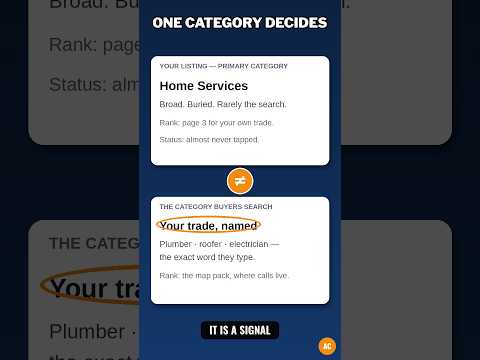
You set up your Google Business Profile. One small box stops you. It asks for your category. You pick one that sounds close and move on.
That pick matters more than it looks. It tells Google what kind of shop you are and which searches should show you at all. Pick the wrong label and Google matches you to the wrong guests, day after day.
This post gives you three clear rules to choose your Google business categories right. One main category for what you are. A few more only for what you truly do. And the most specific true label you can find, checked again when your work changes.
A category is the label that says what kind of business you are. Follow three rules. Rule 1: your primary category, the main one, must say what you ARE, in the words that finish this line: "This business is a ___." Rule 2: add more categories only for real, distinct parts of your work that you do often, and use as few as you need. Rule 3: pick the most specific true label from Google's list, not a broad one and not a made-up one. You cannot create your own category. Test each pick against your real work, your price list, and what guests pay you for most. If a label is not true on a normal week, leave it off.
What the video shows: This short video is called "Google Profile: 1 Category Only You Can Set, how to choose google business profile categories?" It is about choosing the category for your Google Business Profile — the main label that tells Google and your guests what your business is. The point is plain: the category you set must match the real work you do, and you are the one who has to set it right. The three rules in this post show you how to choose that main label and the extra labels that go with it.
What is a Google business category?
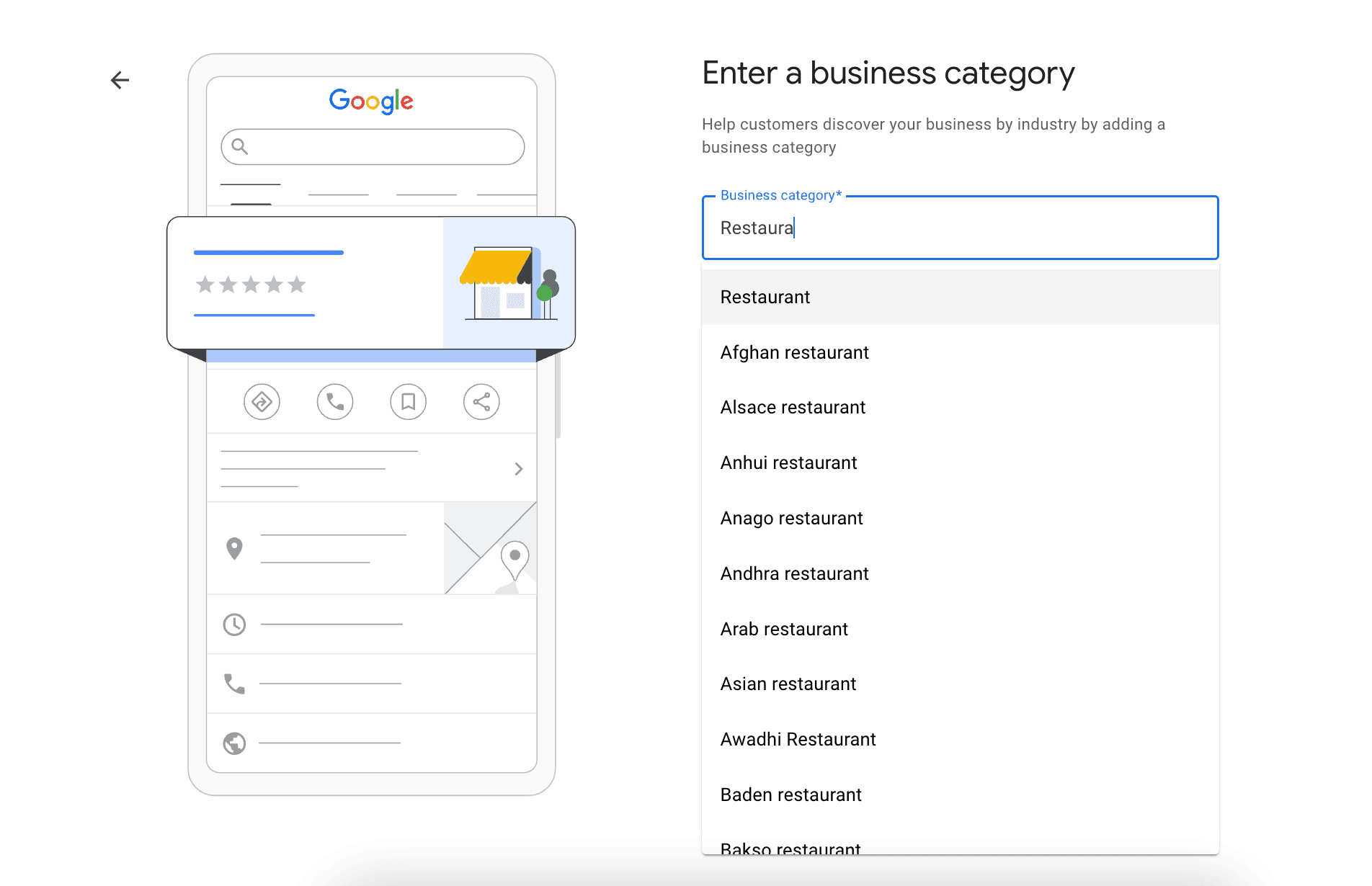
A category is the label that says what kind of business you are. It is not a slogan. It is not a list of search words. It is a fixed label you pick from a list Google controls.
Google keeps the list. There are thousands of labels on it. Google adds, renames, and removes labels over time. You cannot write your own label and add it to the list. If your exact words are not on the list, you pick the closest true label that is.
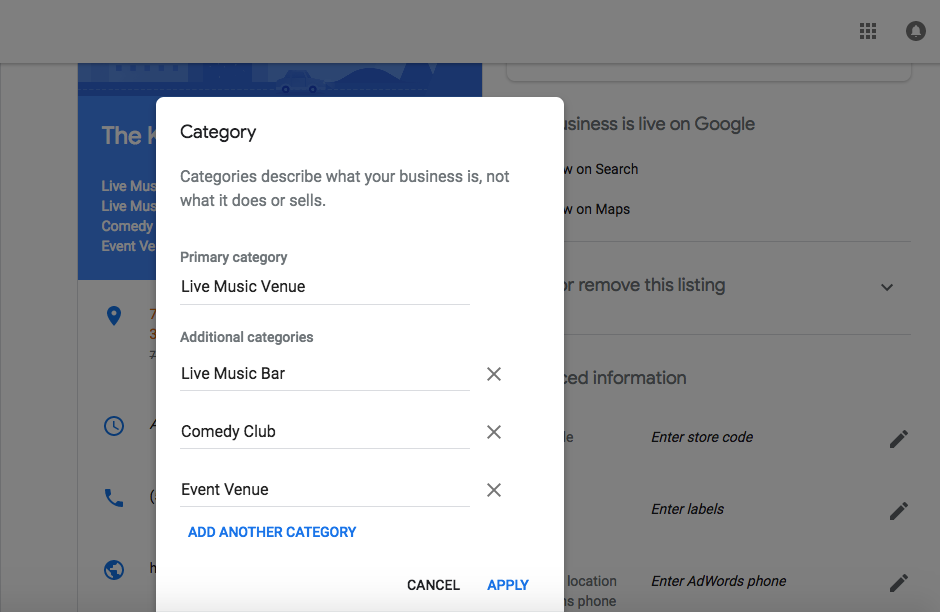
You get one primary category. Primary means first and most important. You may also add more categories, often called additional or secondary categories. Google lets you add up to nine more, for ten in total. That limit is not a goal. Most shops need far fewer than ten. Google's own advice is to use as few categories as you need to describe your core business. Core means the main, central part of what you are.
Think of the primary category as the sign over your door. The extra categories are small signs in the window for other real parts of the work. If a sign names a job you do not do, guests feel misled.
Why does your category choice matter so much?
Your category helps Google judge relevance. Relevance is how well your profile fits what a guest searched for. If a guest searches for a dentist and your primary category is dentist, Google has a clear reason to think of you. If your primary category says clinic in broad words, the match is less clear.
Your category can also affect which tools show on your profile. Some shops get a menu tool, some a booking tool. Google uses the category in part to decide which tools fit. A wrong label can give you the wrong tools.
Here is the same idea in a second way. Picture a fair with rows of stalls, each with one big sign. Guests walk to the row that fits their need. If your sign says the wrong row, the right guests walk past you. Your category is that big sign.
A wrong category does not mean your shop is bad. It means Google gets the wrong first idea about you — and that first idea is cheap to fix.
What is Rule 1: Does your primary category say what you are?
Rule 1 is the most important rule. Your primary category must say what you ARE, not just one thing you do, not one product you sell, and not the search you most wish to win.
Use the "is a" test. Finish this line: "This business is a ___." The blank should hold a short noun phrase, a name for a kind of shop. "This business is a plumber." "This business is a hair salon." "This business is a pizza restaurant." Each of those can be a primary category.
Now spot the trap. "This business offers drain clearing" is not an "is a" line. Drain clearing is a service, not a kind of shop. Services belong in your services list, and at times in an extra category if Google offers a true label for that distinct part of your work. They do not replace the main label for what you are.
Use the pay test too. Look at last month and last year. What did guests pay you for most? What work keeps the doors open? Your primary category should match that core work. A side job you did twice last year should not lead the profile, even if you liked doing it.
Worked examples help. A shop that cuts and colors hair is a "Hair salon" first. A bakery inside a grocery shop is not the whole shop; the shop is a "Grocery store" first, with the bakery as an extra.
Fix for Rule 1: Write your "is a" line on paper. Type those words into the category box in your profile. Pick the closest true label from Google's list. If two labels both seem true, pick the one that fits the work that earns you the most and that guests know you for.
What is Rule 2: Do your extra categories cover only what you truly do?
Rule 2 is about restraint. Restraint means holding back on purpose. Add an extra category only when it names a real, distinct part of your business that you do often and would do again for pay this week.
Distinct means separate in a way a guest would notice. A plumber who also runs a true drain service may add that label if Google offers it and the work is a real line of the shop. A hair salon that truly does braid work as a named service may add a label for it. A pizza place that is also a true sit-down Italian restaurant may add that second label.
Do not add a label for each product on a shelf or each small task in one job. Google's advice is plain: do not pick a category for each product or service. Pick a few labels that describe the whole shop.
Do not copy a rival shop blindly. A rival may offer a service you do not, or may have a wrong label. Use rivals as a clue, never as proof. The proof is your own work: your price list, your booked jobs, and your staff skills.
More labels is not better. Each extra label tells Google your shop is a bit less focused. A long list can pull you into searches you cannot serve well, and those guests leave without help.
Fix for Rule 2: List each service you do often. Next to each one, ask: "Is there a Google category that names this as a kind of business, not just a task, and is it true most weeks?" If yes, it may earn a spot. If not, put it in your services list instead, where it still helps guests and Google in the right place.
What is Rule 3: Is your label the most specific true one you can find?
Rule 3 is about exactness. Specific means exact and narrow in a true way. Google asks you to pick a label that is as specific as it can be while still describing your whole main business.
Google gives this kind of example in its own help: do not pick "Salon" when "Nail salon" is true and on the list. The broad label is not false, but it is weak. It could mean hair, nails, or skin. The specific label tells a guest and Google, at a glance, which one you are.
Specific does not mean long or fancy. It means the label leaves the least doubt. A dentist who truly works as a children's dentist should check if a label for that exact kind exists and fits.
Stay true. Do not pick a narrow label for a niche — a small, special part of a market — you wish to enter next year. Pick for the shop you run today. You can change it later, when the work itself has truly changed.
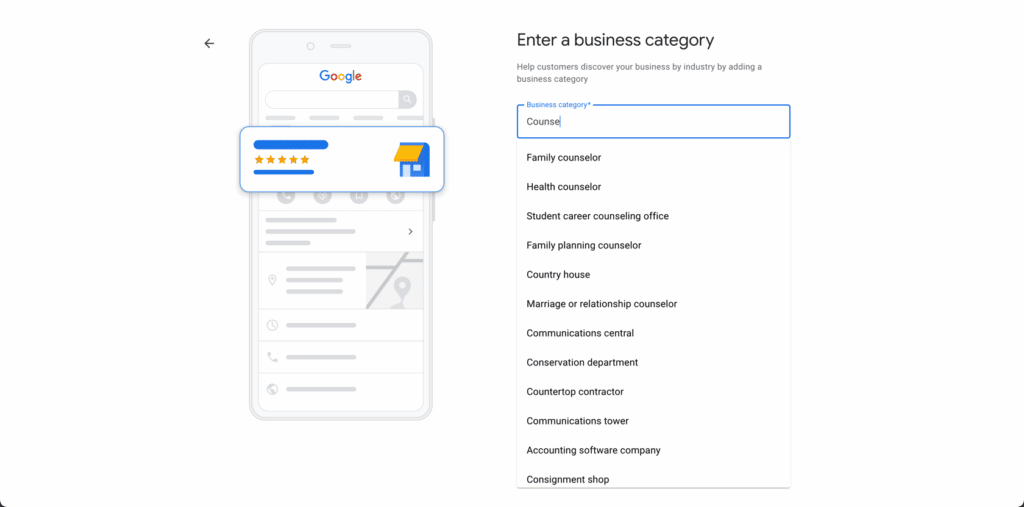
The list changes, so check the live list, not an old blog post. Type the first words of your kind of shop into the category box and read each label Google offers you in that moment. Old lists from the web go stale fast. The box in your own profile is the true source.
Fix for Rule 3: For your primary and for each extra, ask: "Is there a more exact true label on Google's list today?" If yes, switch to it. If no exact label exists, keep the closest true broader label and put the exact words in your services and description, in plain language.
How do you change a category, step by step?
Open your Business Profile and choose Edit profile. Find Business category and choose Edit. For the primary, type in the Primary category box and pick a label from the list that shows up. For an extra, choose Add another category, type, and pick from the list. Save your change.
Go slow. Change the primary only when the "is a" test and the pay test both point to the new label. Write down the date, the old label, and the new label.
Know this before you start: if you add or edit a category, Google may ask you to verify your business again. Verify means Google checks that you are a real business that may run this profile. That check is normal. It does not mean you did a wrong thing. It means Google wants to be sure the new facts are true. Do not make big name, address, or category changes all at once while a check is pending if you can avoid it. Do the category fix first, save, and let the check finish.
After a change, search for your shop as a guest would. Does the label under your name look right? Give it time. A new label does not guarantee a higher rank at all. It gives Google a clearer, truer idea of you.
What is the difference between categories, services, and attributes?
These three parts sound alike. They do three different jobs. Mixing them up is a common cause of a weak profile.
Categories say what kind of business you are. One primary, a few extra, all picked from Google's fixed list. This is the sign over the door.
Services say what jobs you do. You write these in your own plain words, within the shape Google gives for your kind of shop. "Drain clearing," "Water heater install," "Kids' haircut" — these are services. A service can be detailed. It can carry a description and a price. It does not need a category of its own to count.
Attributes say traits and facts about how you run the shop. Attribute means a trait or feature. Examples are whether you are women-led, whether the entrance fits a wheelchair, or what payment kinds you take. Google offers a set of attributes based in part on your category. Fill in only the true ones.
A good test for a new item is this: Is it what we ARE? Then it may be a category. Is it a JOB we do? Then it is a service. Is it a TRAIT of how we work? Then it is an attribute. Putting each fact in its right place helps Google read your profile with no doubt.
What mistakes should you avoid when you choose categories?
The first mistake is stuffing. Stuffing here means adding many categories to try to show up for many searches. It feels smart. It often hurts. Google reads a stuffed list as a shop that is not clear about what it is, and guests read it the same way when they arrive.
The second mistake is copying the top shop in town label for label. That shop may have a different mix of work, different staff, and a different history. Their labels fit their truth. Yours must fit yours.
The third mistake is picking a label for a department that is not really yours. If a separate business inside your building is owned and run on its own and faces the public on its own, Google says it should have its own profile. Do not claim its category on yours.
The fourth mistake is never checking again. Shops change. You drop a service. You add a new line of work that grows to half your pay. Your categories should change when that core truth changes — not each month on a whim, and not never in ten years. Check your labels when your price list changes in a big way, at least once a year.
The fifth mistake is changing the primary on a hunch — a feeling with no facts — and not writing it down. Use the tests, note the date, and judge by real calls over the next months.
Your free tool for this step
Choosing labels in your head is hard when the list is long. The free GMB Profile Grader on aidcos.world walks you through your profile as a guided checklist. It gives your profile a letter grade, from A to F, and it ranks the 3 highest-impact fixes — the fixes that matter most to do first. Its category check helps you see if your main label and your extra labels fit the rest of your profile, or if a fix belongs at the top of your list.
Use it after you apply the three rules, as a second set of eyes. Fix one item at a time, then re-check. One free signup opens all the Aid & Cos tools.
The bottom line
Choose your Google business categories with three rules. One: your primary category says what you ARE, proven by the "is a" test and by what guests pay you for most. Two: your extra categories cover only real, distinct parts of your work, as few as you need. Three: each label is the most specific true one on Google's live list today. Keep categories, services, and attributes in their right places, write down each change, and check the labels again when your work truly changes. A clear, true set of labels will not guarantee any rank — Google does not publish its exact ranking math and no label can promise a spot. It will give Google and your guests the right first idea about your shop, and that is where good matches start.
Part of: Google Business Profile Help: Costs, Fixes, and Guides for Local Businesses
More guides in this branch:
Keep reading: all Aid & Cos deep-dives