Stop, 1 Form Brings Back a Suspended Listing
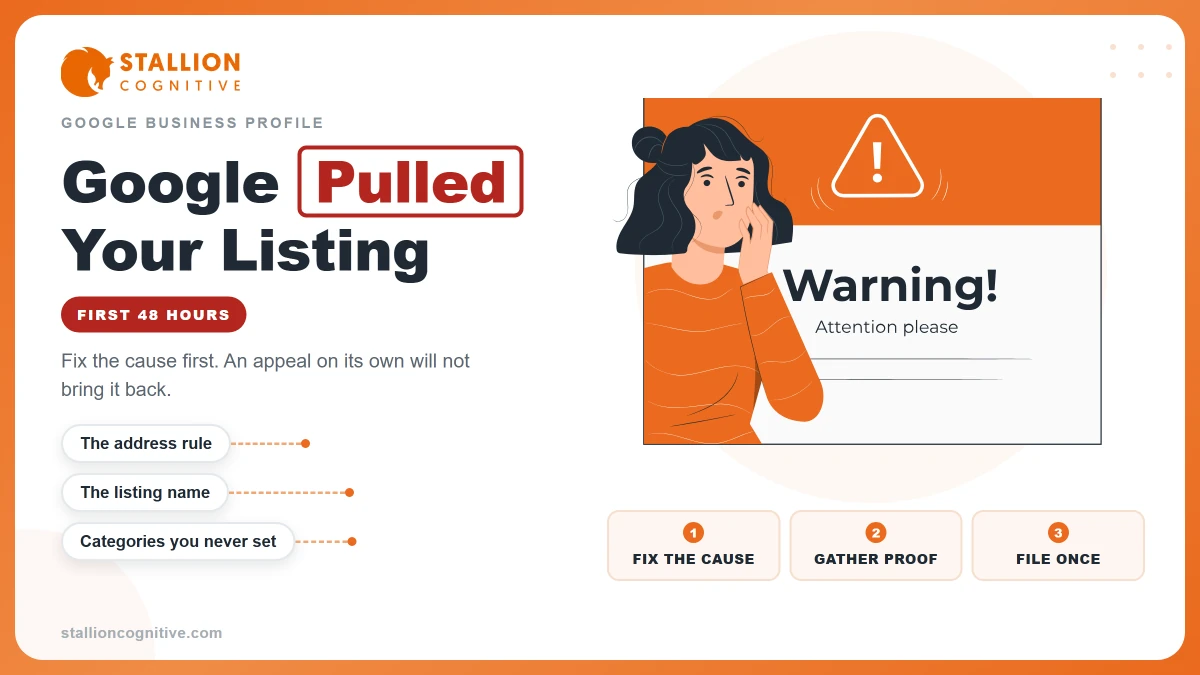
You open Google to check your shop, and your shop is gone. No map pin. No photos. No phone button for new buyers to tap. In its place you find one hard word: suspended. Your heart sinks, because this free listing was how many people found you. Take a breath. A suspended listing is not the end of your shop. In most cases, one form, filled out the right way, with the right proof, is how you ask Google to bring it back. This post walks you through that form, step by step, in plain words. You will learn what to fix first, what proof to gather, what to say, and what not to do while you wait.
When Google suspends your Business Profile, your listing is hidden or cut back until Google brings it back. Do not make a new listing. First fix anything on your profile that breaks Google's rules, like a wrong name or a wrong address. Then gather proof papers that show your shop is real, like a business license or a power bill with the same name and address. Last, send one request through Google's own appeal form — an appeal is a formal ask to change a choice — and wait for Google to reply. The wait time is not fixed. It changes from case to case.
What does the word suspended mean for your shop?
Suspended means paused by Google. Think of your listing like a shop sign on a busy road. When the sign is up, cars see it and turn in. When Google suspends your profile, it is as if Google takes your sign down and puts it in a back room. Your shop is still real. Your tools are still there. Your loyal buyers still know you. But new people who search on Google Search or Google Maps may not see you at all, or may see much less of you.
Here is what that loss looks like in plain math. Say your listing used to bring you 10 calls a week. If the listing is hidden for 2 weeks, that is 10 × 2 = 20 calls that may never come. That is why this fix matters, and why it is worth doing with care, one time, the right way.
A suspension is not the same as a bad review. A bad review is one buyer sharing a view. A suspension is Google itself saying, "We are not sure this listing follows our rules, so we will pause it until we are sure." Your job is to make Google sure. You do that with two things: a clean profile and strong proof.
What should you do in the first hour?
Do less than you want to do. That sounds odd, but it is true. When owners panic, they click a lot. They change the name five times. They add a new listing. They pay a stranger who calls and says he can fix it fast for a fee. Each of those moves can make the fix harder.
Here is your calm first hour, in order:
Step 1. Log in with the same Google account that owns the profile. An owner account is the account that has full control of the listing. If you use the wrong account, you may not see the true state of the profile at all.
Step 2. Read the note Google gives you. Google's appeals tool shows the choice that was made, the date, and the rule it points to. Write that rule down in your own words. That rule is your map. It tells you what to check first.
Step 3. Look at your profile with fresh eyes. Read your name, your address, your phone, your hours, and your main group — Google calls that group a category, which just means the kind of work you do, like "plumber" or "bakery."
Step 4. Do not make a new profile. Do not pay any third party — a third party is any person or firm that is not you and is not Google — who says they can bring the listing back for money. Google does not charge for this fix, and no stranger can push a button Google hides from you.
Step 5. Start a folder, on paper or on your phone, named "Profile Proof." Every paper you gather from here on goes in that one folder. One folder, one fix, no lost pages.
Why does Google pause a listing like yours?
Google pauses listings when a listing looks like it breaks its rules for how a business may show itself. The rules exist so buyers are not tricked. Most pauses for small shops come from a short list of causes. See if one fits you:
Cause 1. The name has extra words in it. Your profile name must be your real shop name, the name on your sign and your papers. It must not add sales words, service words, place words, a phone number, or a web address. "Sam's Cuts — Best Cheap Fades in Town" is not a real shop name. "Sam's Cuts" is.
Cause 2. The address is not a place where buyers come to you. A post office box is not a shop. A mail box at a mail store is not a shop. A fake office — an office you rent by name but never work in — is not a shop. If you go to your buyers, like a plumber or a cleaner does, Google wants you to hide your home address and show the area you serve. That area is called a service area, which means the towns or miles around you where you do work.
Cause 3. The phone or website sends people to the wrong place. The phone number should ring a phone you control, for this shop, at this place. The website link should go to your real site, not to a page that sends folks off to some other firm.
Cause 4. There are two profiles for one shop. Google wants one profile per business. Two profiles for the same shop and same address can read as a trick, even when you made the second one by pure mistake.
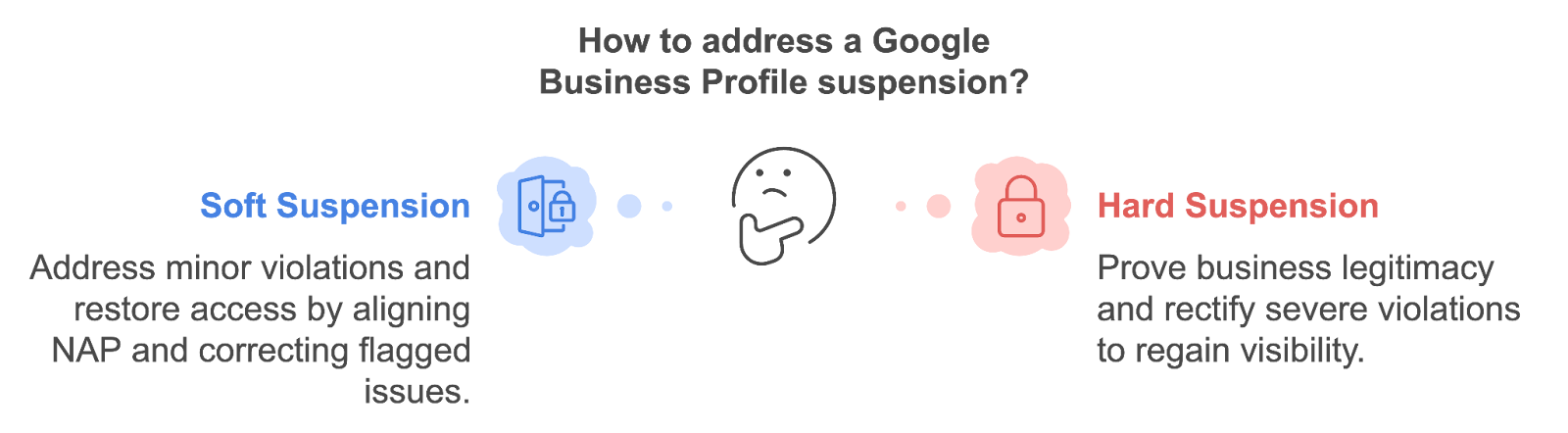
Cause 5. The account itself has a block. At times the pause is not about the one shop at all. The Google account that runs the shop may have its own block. If so, you must fix the account first, and only then ask for the shop profile back.
Read that list twice. Most owners find their cause in it. Name the cause in plain words at the top of your proof folder. For example: "Cause: extra words in name." Every step after this one serves that cause.
How do you fix the profile before you ask?
This is the hardest idea in the whole post, so we will say it two ways.
First way: think of the appeal like asking a guard to let you back into a building. The guard does not let you in because you ask in a loud voice. The guard lets you in when your face, your name tag, and your ID card all match. If your name tag says one name and your card says a second name, the guard says no, no matter how nice your words are. Your profile is the name tag. Your proof papers are the ID card. They must match, word for word, before you knock.
Second way: think of it like a cake order at a bakery. You call and say, "My name is Ana Ruiz, and I will pick up at 3." Then you show up and say, "I am Ana Smith, and I am here at 5." The baker holds the cake back, not to be mean, but because the facts do not line up. When the name and the time match the order, the cake comes out fast. Google works the same way. When your profile facts match your proof facts, your ask is easy to grant.
So fix first, ask second. Do these checks in this order:
Check 1. Name. Make the profile name the exact name on your sign, your lease, and your license. Cut all extra words. If your trucks and your sign say "River City Plumbing," then those three words — no more — are the name.
Check 2. Address. If buyers come to your shop, the address must be the true street address where staff meet buyers in your open hours. If buyers do not come to you, hide the address and set your service area. Do not show a home address for a shop that works at the buyer's home.
Check 3. Phone and website. Test them like a stranger. Call the number from a friend's phone. Does your shop pick up, or does a call center for some other firm pick up? Tap the website link. Does it open your page, with your name and address on it? Fix any link that jumps to a new place.
Check 4. One profile only. Search your shop name in your account. If you find two profiles for the same shop, do not feed both. The suspended one is the one to fix. A fresh twin will not save you. It will split your reviews and your proof, and it can get paused too.
Check 5. Hours and category. Set hours you truly keep. Pick the one main category that names your chief work, then add side groups only if you truly do that work too.
Write down each fix you made, with the date. Three lines is fine. For example: "Nov 10 — took sales words out of name." This short list goes into your appeal later. It shows the reviewer — the person at Google who reads your ask — that you found the cause and fixed it, not just that you want the pause to end.
What proof papers do you need to gather?
Proof is the heart of this fix. Google will not take your word alone, and that is fair. Fake shops hurt real shops, so Google asks for papers that a fake shop would find hard to show.
Gather what you can from this list. You do not need all of them. Two or three strong papers that match beat six weak papers that do not:
Paper 1. Your business license. A license is a paper from your city, county, or state that says you may do this work. The name and address on it must match your profile.
Paper 2. A bill for the shop. A power bill, water bill, phone bill, or web bill in the shop name, at the shop address, works well. A bill proves a real place uses real services at that address.
Paper 3. Your business registration or tax paper. Registration is the state record that your business exists. A tax paper with your business name and address helps in the same way.
Paper 4. Photos of your real place. Take a photo of your sign with the shop name clear. Take a photo of the front of the shop from the street, so the sign and the building show in one shot. If you work from a shared space, the photo must show your name in a fixed way, like a wall sign, not a paper note taped up for the day.
Paper 5. A photo inside the shop. Show your tools, your desk, or your stock — the things a real shop in your trade would have. This photo says, "Work goes on here each day."
Now do the match test on each paper. Lay the paper next to your profile facts and read them side by side, word by word:
Is the name the same? "River City Plumbing LLC" on the license and "River City Plumbing" on the profile is a close match most reviewers can accept, since LLC is a legal tag, not a new name. "River City Plumbing" on the license and "River City Best Plumbers Near You" on the profile is not a match. Fix the profile.
Is the address the same — same street number, same street name, same suite if you have one? A bill that shows Suite 4 while your profile shows Suite 9 will raise a flag. Find out which one is true and make both agree.
Is the paper clear to read? A dark, cut-off photo of a bill can fail even when the bill is real. Lay the paper flat, use good light, and take the photo again. Two minutes of care here can save weeks of wait.
Keep count of your proof as you go. If you start with 0 papers and gather 1 license + 1 bill + 2 photos, that is 1 + 1 + 2 = 4 pieces of proof. Four strong, matched pieces is a solid pack for a small shop.
How do you send the one form, step by step?
Now you ask. Google calls this ask an appeal, and you send it in Google's own appeals tool on the web. You get one appeal for each choice Google made, so treat this one send with full care. Here is the path:
Step 1. Open Google's appeals tool while logged in as the owner of the profile. Confirm the account shown is the right one. If it is not, switch to the right account before you go on.
Step 2. Pick your business profile from the list. Then pick the choice you want to appeal — that is the suspension you want Google to look at again. Read the date and the rule shown on that page one more time. If the rule is not the one you fixed, stop and re-check your fix.
Step 3. Add your proof. Use the file tool on the page to attach your papers and photos from your proof folder. Add the strongest ones first: license, bill, sign photo, street photo.
Step 4. Write your short note in the text box. Short and plain wins. Say who you are, what was wrong, what you fixed, and what proof you sent. Here is a shape you can copy and fill with your own true facts: "I own [shop name] at [address]. My profile was paused. I found that [the cause, in plain words]. I fixed it by [your fixes]. I have attached [your papers] that show the same name and address as my profile. Please bring my profile back."
Count the words in a note like that. It lands near 45 to 60 words. That is plenty. A 400-word life story makes the reviewer's job harder, not easier, and hard jobs get slow or sad ends.
Step 5. Tick the box that says your facts are true, then submit. Submit means send the form to Google.
Step 6. Note the date and time you sent it, in your proof folder. That date is your anchor. All wait math starts there.
One warning about time: once you start some parts of this form, Google may give you a short window to add files. So do not start the form and then go hunt for papers. Papers first, form second. That order is the whole game.
What should you do while you wait?
Wait, and only wait. This part tests owners the most, so here are the rules in plain sight:
Rule 1. Do not send the appeal again. A second send for the same issue does not speed things up. At best it adds noise. At worst it reads as if you did not trust the first ask. You can check the state of your ask in the appeals tool. The tool shows states like sent, passed, or not passed. A check is free. A new send is not.
Rule 2. Do not keep changing the profile. Each new change while you wait can look like you are trying to slip past the pause. Leave the profile as you fixed it.
Rule 3. Keep serving buyers the old ways. Your phone still rings if buyers have your number. Your own website still works. Tell past buyers you are open. A pause on Google is a real loss, but it is not a closed shop unless you treat it as one.
Rule 4. Watch your email. Google sends the choice by email to the owner account. Check the spam folder too — spam is the folder where mail a system thinks is junk gets put. If the email lands there and you miss it, you may lose days for no good cause.
How long will the wait be? Honest answer: it changes. Some owners hear back fast. Some wait much longer. Google does not promise you a set number of days, and no honest guide can promise one for it. Plan your shop as if the wait could be short or long. If a person tells you, "Pay me and you will be back in 2 days, for sure," that person is selling you a story, not a fix.
What if Google says no the first time?
A no is hard news, but it is not always the last word. If your appeal is turned down, Google may let you ask for one more look. That second ask has a strict rule: you must bring new proof — proof you did not send the first time.
So read the no with care. Which part of your pack was weak? Here are the three weak spots that come up most:
Weak spot 1. The proof did not match. The name or address on the papers still did not line up with the profile. Fix the last mismatch, even a small one like a suite number or a short form of a street name.
Weak spot 2. The proof was too thin. One blurry photo alone rarely proves a real shop. Add the license or the bill you held back the first time, and take fresh, clear photos.
Weak spot 3. The cause was never fixed. If extra words are still in the name, or the address is still a mail box, no amount of proof will save the ask. The fix must be real before the ask can work.
For the second ask, write an even shorter note. Name the new proof in the first line: "New proof added: city license and power bill, both in the shop name at the shop address." Then say what you fixed since the no. Send it once, and wait again.
If the second look also ends in a no, your next move is to get a fresh set of eyes on the profile itself — a local pro you can meet in person, or Google's own help path for Business Profiles — with your full proof folder in hand. Do not loop the same form with the same pack. Same pack, same end.
How do you keep the listing safe once it is back?
Getting back is half the win. Staying back is the other half. Good news: the habits that keep you safe are small.
Habit 1. Change one thing at a time. When you must change your hours, name, or address, change that one thing, save it, and let it settle. Five big changes in one day can look odd to Google's checks, the same way five address changes in one week would look odd to your bank.
Habit 2. Keep your facts the same in all places. Your profile, your website, and your sign should tell one story: same name, same address, same phone. When the three agree, checks pass with ease.
Habit 3. Keep your proof folder alive. When a new bill or a fresh license comes, add it to the folder. If a pause ever comes again, your pack is ready in an hour, not a week.
Habit 4. Add true photos over time. A real photo of real work each month shows a live shop. Live shops are the shops Google's rules were built to serve.
Habit 5. Never pay for a fix you can do free. The appeal form is free. The proof is yours. Any firm that calls you out of the blue and asks for card facts to "restore" your listing is not Google. Hang up, and use Google's own tool.
Your free tool for this step
Use the GMB Profile Grader at Aid & Cos, on the free tools page: https://aidcos.world/#free-tools. GMB stands for Google Business Profile — it is the short name many owners still use for the same listing. The grader looks at your profile the way a strict teacher looks at a test. It checks the key parts of your listing — name, address, phone, groups, hours, photos, and posts — and marks what is strong and what is weak. Run it before you send your appeal, and fix what it flags while your proof folder is still open. Run it again once your listing is back, to grade your fixes and spot the next weak part before Google does. The tool is free to use, and its marks give you a clear list to work from, one fix at a time.
The bottom line
If your listing is suspended, stop and think before you click. Do not make a new profile, and do not pay a stranger who swears he can fix it fast. Find the cause — most times it is the name, the address, the phone, the website, or a twin profile. Fix the cause so your profile tells the truth. Gather proof that matches that truth, word for word: a license, a bill, clear photos of your sign and your shop. Then send one appeal through Google's own form, with a short, plain note, and wait for the reply with no new sends. If Google says no, add new proof and ask for the one more look. That is the whole path: fix, prove, ask once, wait. Shops come back this way each week, and yours can too.
Part of: Google Business Profile Help: Costs, Fixes, and Guides for Local Businesses
More guides in this branch:
Keep reading: all Aid & Cos deep-dives